Slide count adjustment & generation; Reference card.
Hi guys, I have a couple of feedbacks regarding my usage:
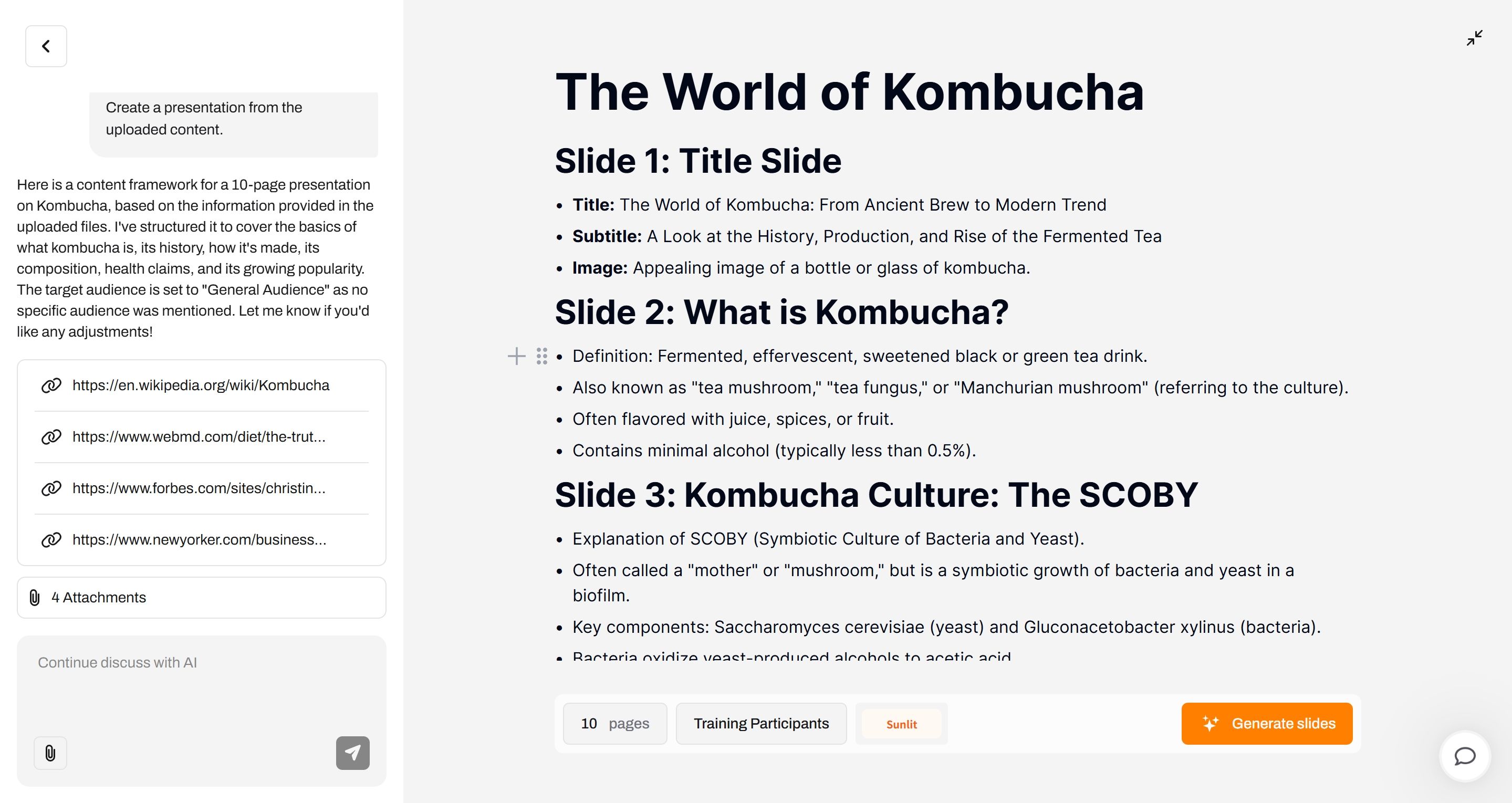
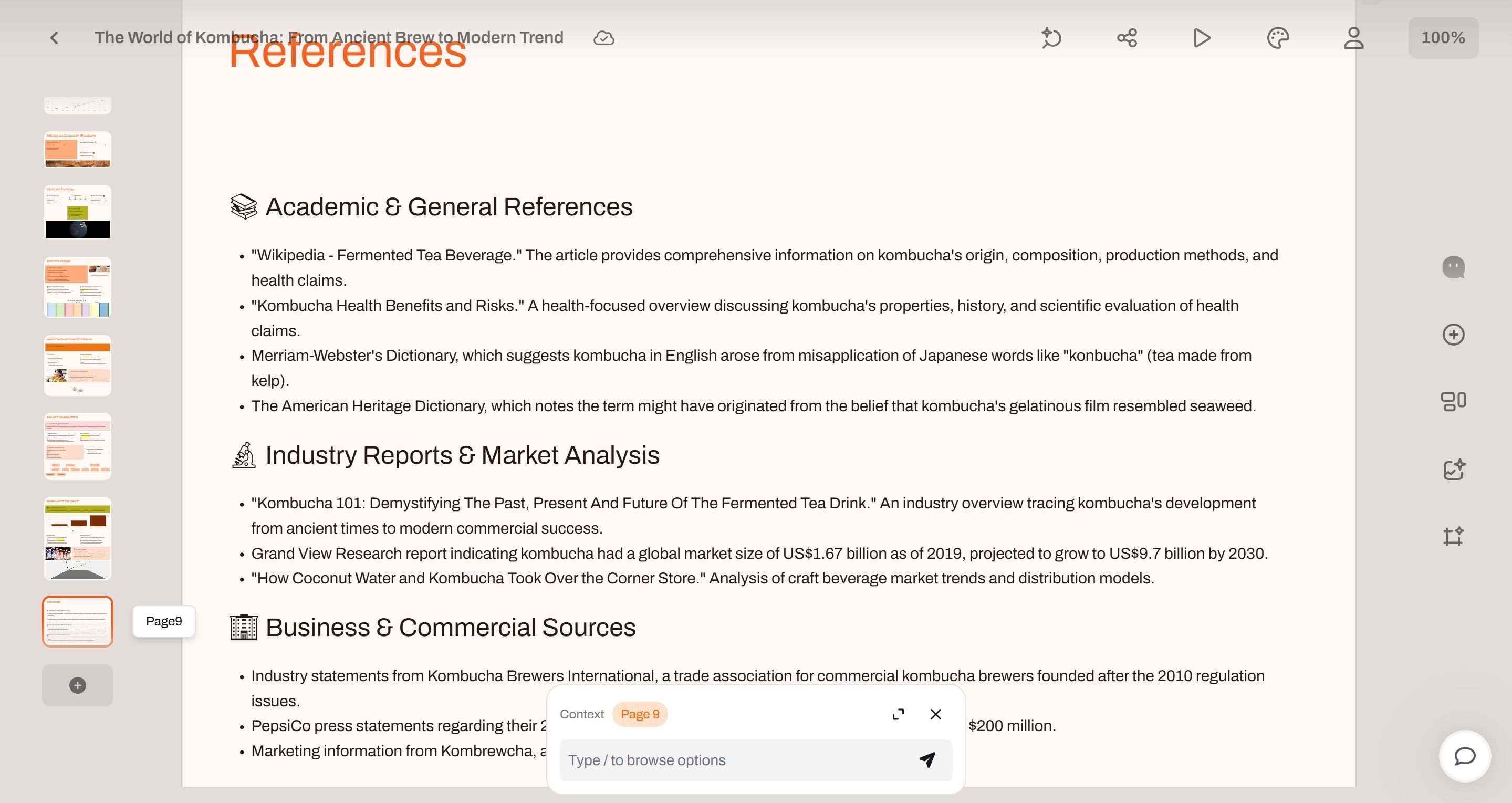
If the user doesn't set the number of slides, does the AI default to generating a 10-slide PPT? I didn't adjust the slide count or modify the AI's default settings, but the output had only 9 slides (including the cover and references). Is this a bug?
Currently, the slide count can be modified via AI Chat, the bottom buttons, and the outline document. Could this cause confusion in the AI's command-following or increase PPT generation time—given that the AI needs to adjust the PPT based on each new user instruction?
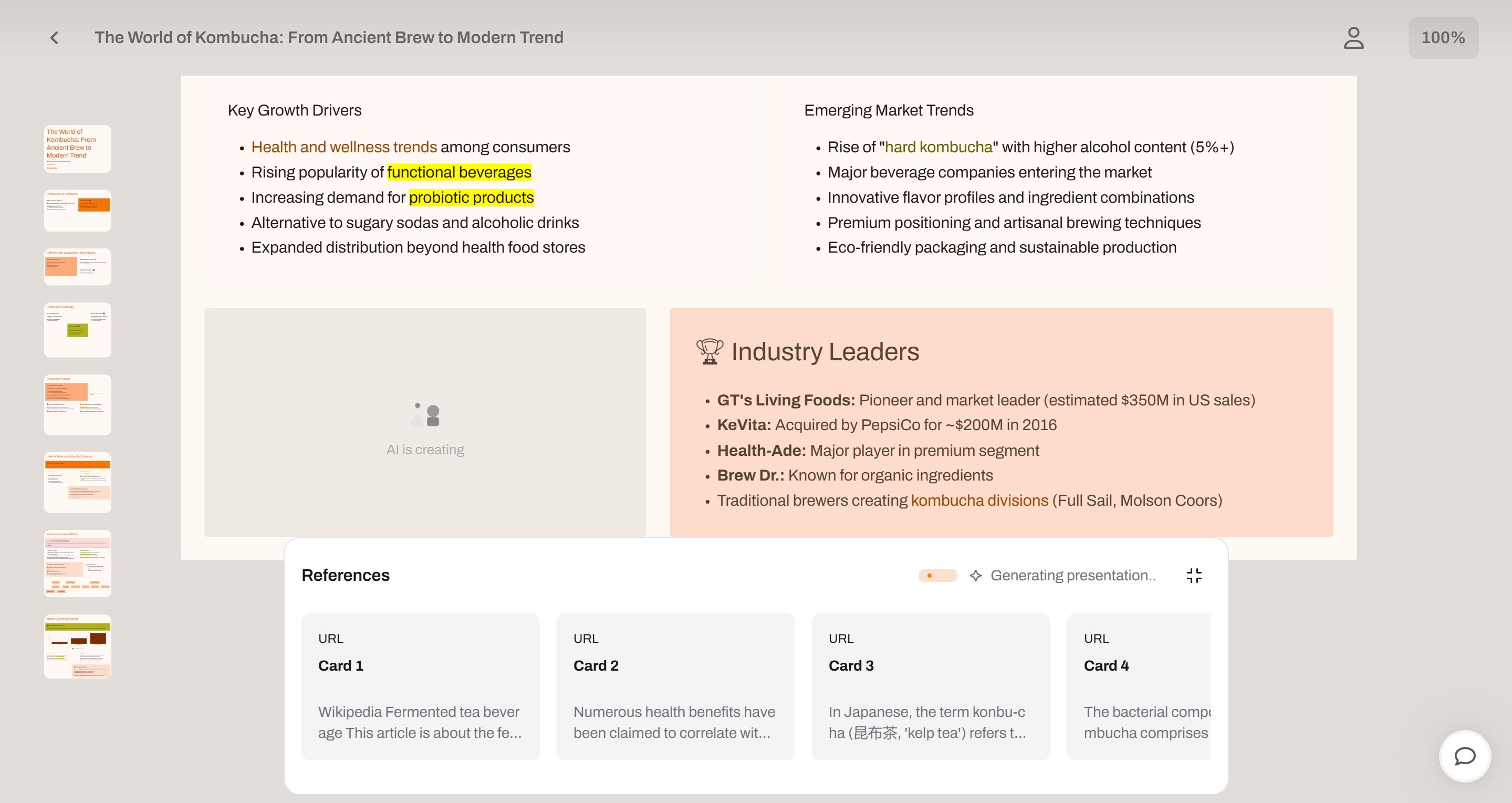
During PPT generation, a series of cards appeared at the bottom of the interface:
(1) Confusion about the cards: Do these display how the AI splits and organizes the references provided? If I’m unsatisfied with the AI’s organization, I can’t interrupt the process to restart it. Nor do I have time to review dozens of AI-split cards one by one.
(2) Practical inconvenience: Using the product on a laptop without an external mouse, swiping the touchpad to view cards is recognized by Chrome as "back," interrupting PPT generation. Clicking "forward" to return caused generation failure—but thankfully, no free credits were deducted. Appreciate the team!
Overall, I hope you can further enhance user interaction and workflow. While this AI product still has areas for improvement, it has already saved me significant time and offers an enjoyable user experience. Looking forward to its continued evolution!
Log in to comment and vote
Comments2
Z Ding-Pageon
May 23, 2025
Hi Raven,
Thank you so much for your thoughtful and detailed feedback — it’s incredibly valuable to us!
To address your points:
Slide Count: You're absolutely right — what you described is a known bug. There is currently some inconsistency between the requested or default number of slides and the actual output. We’re actively working on fixing this so the slide count behaves more accurately and predictably.
Multiple Ways to Adjust Slide Count: Great point. Having multiple control points (AI Chat, toolbar, and outline) does introduce some complexity that can affect generation speed and AI behavior. We’re exploring ways to simplify or unify these interactions to make the experience smoother and more intuitive.
Card Interface During Generation:
These cards represent how the AI segments and organizes your original content or links into slide-level building blocks. We understand it’s currently too rigid — there’s no way to easily stop, adjust, or skip the process. Improving this flexibility is on our roadmap.
Regarding the touchpad swipe issue in Chrome — that’s a fantastic catch. We’ll be reviewing the page’s behavior on laptops and looking for ways to prevent unintended navigation that interrupts generation. Really thankful you brought that up.
We’re truly glad to hear that despite these issues, PageOn is already helping save you time and bringing value. We’ll keep working hard to make the experience better.
If you have any other suggestions or run into problems again, don’t hesitate to reach out. We’d love for you to try Pageon again as we roll out improvements soon!
PageOn Team
Lizzy Lee
May 23, 2025
Thank you for your prompt and detailed response. I appreciate your dedicated and sincere commitment to users. I'll continue using PageOn and look forward to more feature updates and optimizations. Keep up the great work, PageOn!